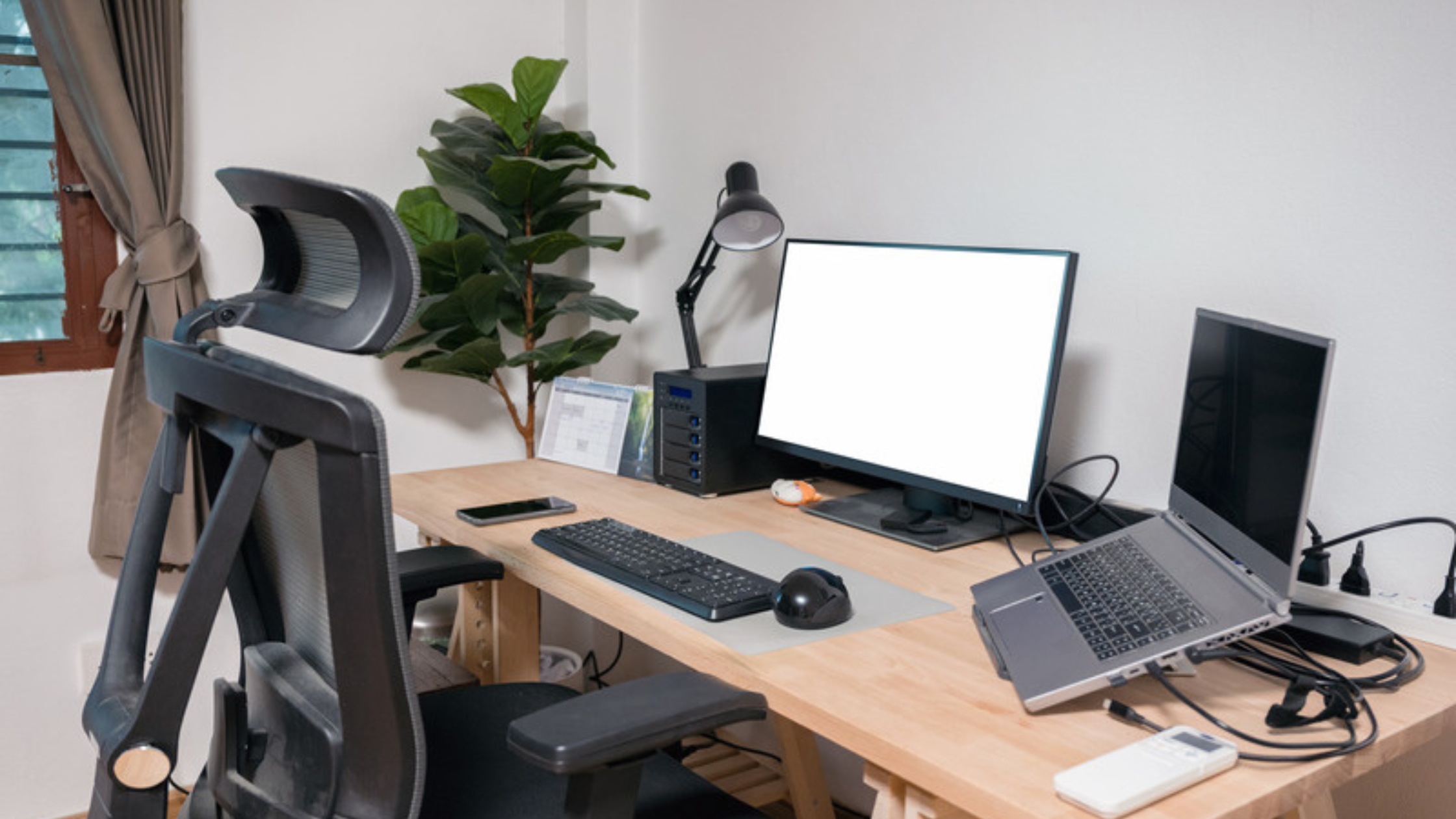
A lot of people who work from home have never really set up a proper workspace. They grabbed a laptop, found a table, and figured they'd deal with the rest later. Then that later never quite arrived...
The cost of a bad setup tends accrue slowly and can be easy to ignore. Your neck's a little sore at the end of the day, your eyes feel a bit strained strained by lunchtime, or your back aches in ways it didn't before. Who knows, maybe that's just turning 40... 😂
The fixes are mostly simple and inexpensive. Here's where to focus.
Start With the Chair (non-negotiable)
If you're going to spend money anywhere, put it into the chair. You can pile paperwork just fine on a mediocre desk, but you can't really compensate for putting your spine in a bad position for eight hours straight.
This doesn't have to a some $1,200 ergonomic throne (though there are some real beauties out there), focus on these basics:
- Adjustable seat height - feet should sit flat on the floor and knees at roughly 90 degrees
- Lumbar support - your lower back should be gently supported, not arched forward
- Adjustable/removable armrests - fixed armrests are often worse than none at all
Budget tip: Check Facebook Marketplace and local office liquidation sales. Businesses upgrade their furniture regularly and good ergonomic chairs turn up used for a fraction of what they cost new.
Get Your Monitor at the Right Height
The top of your monitor should be at or just slightly below eye level. If you're looking down at a laptop screen all day, your neck is carrying load it was not designed to carry for that long.
A monitor riser or a firm stack of books gets your screen to the right height for almost nothing. If you're using a laptop, a separate keyboard and mouse lets you put it up on a stand so you can get the screen higher without having to hold your arms up all day to use it.
A second monitor is definitely worth considering if you spend time switching between documents, applications, or a video call with notes at the same time. 24-inch monitors can be found for well under $150 at the time of writing this.
Lighting: The Most Overlooked Variable
Bad lighting causes more fatigue than most people realize. Two common problems:
- Glare on your monitor from a window or overhead light directly behind or in front of you
- Ambient lighting that is too dim and that makes your screen feel harsh
Positioning the desk so natural light comes from the side handles most of the glare issue and a desk lamp with a warmer bulb handles the rest. If you're on video calls regularly, a small lamp positioned in front of your face makes a noticeable difference in how you appear on screen. Light behind you mostly just creates a silhouette.
Most home office problems aren't expensive to fix. The chair, the monitor height, and the lighting account for the majority of daily discomfort, and none require a full renovation. Start with whichever one is bothering you most right now.
Cable Management: Small Effort, Real Payoff
A pile of tangled cables is a tripping hazard, makes it harder to identify what's going where, and constantly running over things with your chair ruins them. Cable clips or velcro ties, and a simple tray under the desk cost very little and takes no time at all to sort out.
Also, labeling power bricks with a masking tape note is a minor detail but can be super helpful when you've unplugged everything trying to clean up or thrown your stuff in a bag to run out.
What Actually Needs Upgrading
Not everything old needs replacing, but a few things are worth evaluating:
- If you do a lot of video calls, a dedicated webcam upgrade is worth the cost. Built-in laptop cameras have improved, but external ones still perform better in most situations. Nobody liked the low-mount Dell webcams from a few years ago that shot straight under the chin
- If you have an older headset, a model with active noise cancellation will improve your experience and probably everyone else on the calls a bit too
- If your printer is older, factor in the ongoing cost of ink, maybe think about switching to laser or ditching it altogether if possible
Don't Overlook the Security Basics
A home office is still a business workspace so a few habits are worth building from the start:
- Lock your screen whenever you step away (Windows key + L is super easy!) Even if you live alone, it's a habit worth having before it matters
- Keep work files on your company's shared systems rather than just on the local machine. If something happens to the computer, you want to have easy options to keep going
- Use a strong, unique password for your home Wi-Fi and keep guest or smart home devices on a separate network if your router supports it. Most modern routers do
You Don't Have to Do It All at Once
Start with whatever is causing you the most friction right now. If your back aches at the end of the day, that's the chair. If your eyes hurt by afternoon, that's the monitor height and lighting. Small changes build on each other.
A functional home office is not a perk. For anyone doing professional work from home on a regular basis, it's just a reasonable baseline.